 View screenshot
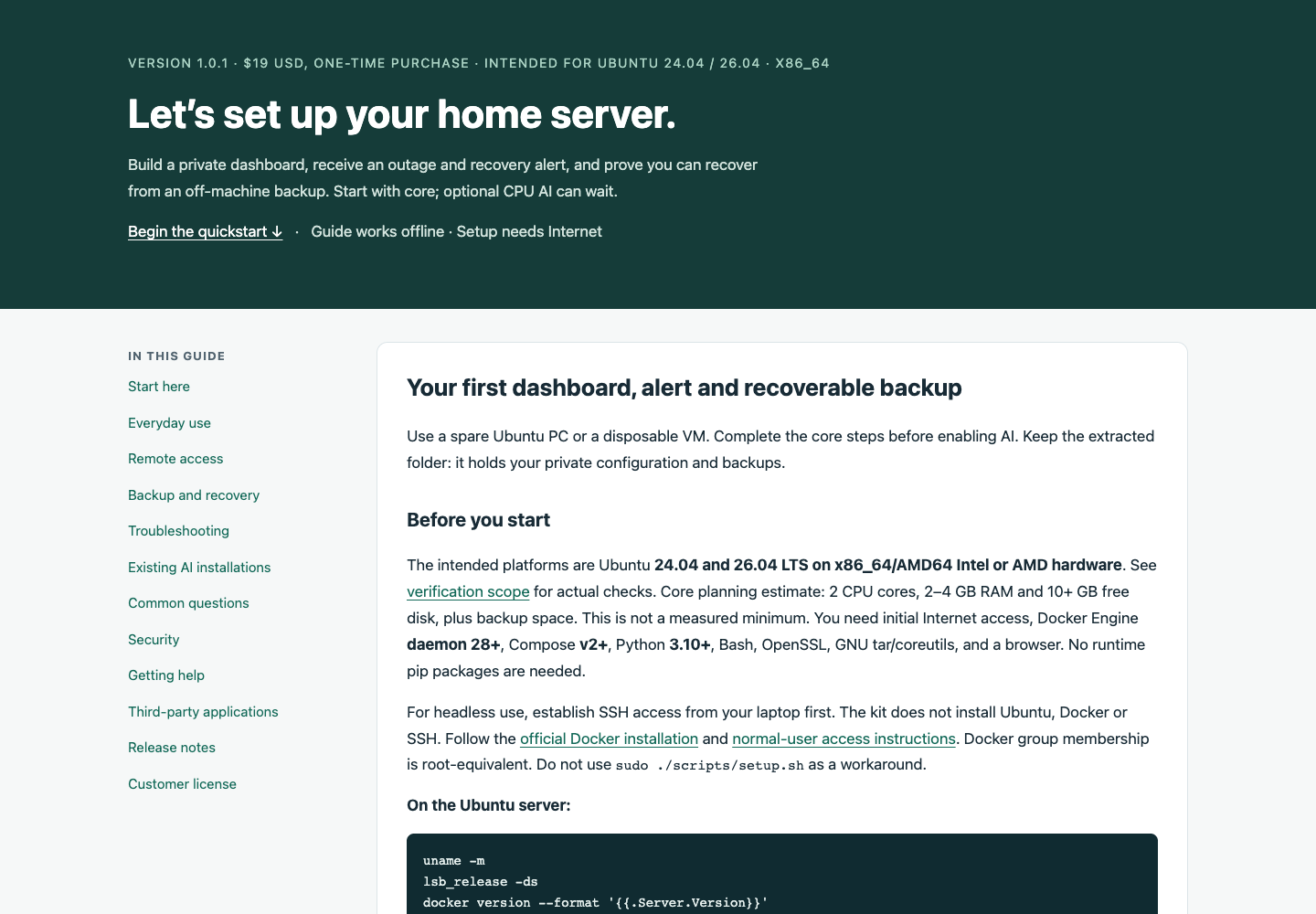
The offline beginner guide
Read the guide without an internet connection. Commands are labelled for your laptop, Ubuntu server or recovery host. First setup still needs internet.
 AIWFShop
Homelab Launchpad
Turn a spare Ubuntu PC into a private dashboard, with service monitoring and a clear backup routine.
Checkout opens soon
See what’s includedAny applicable tax will be shown at checkout.
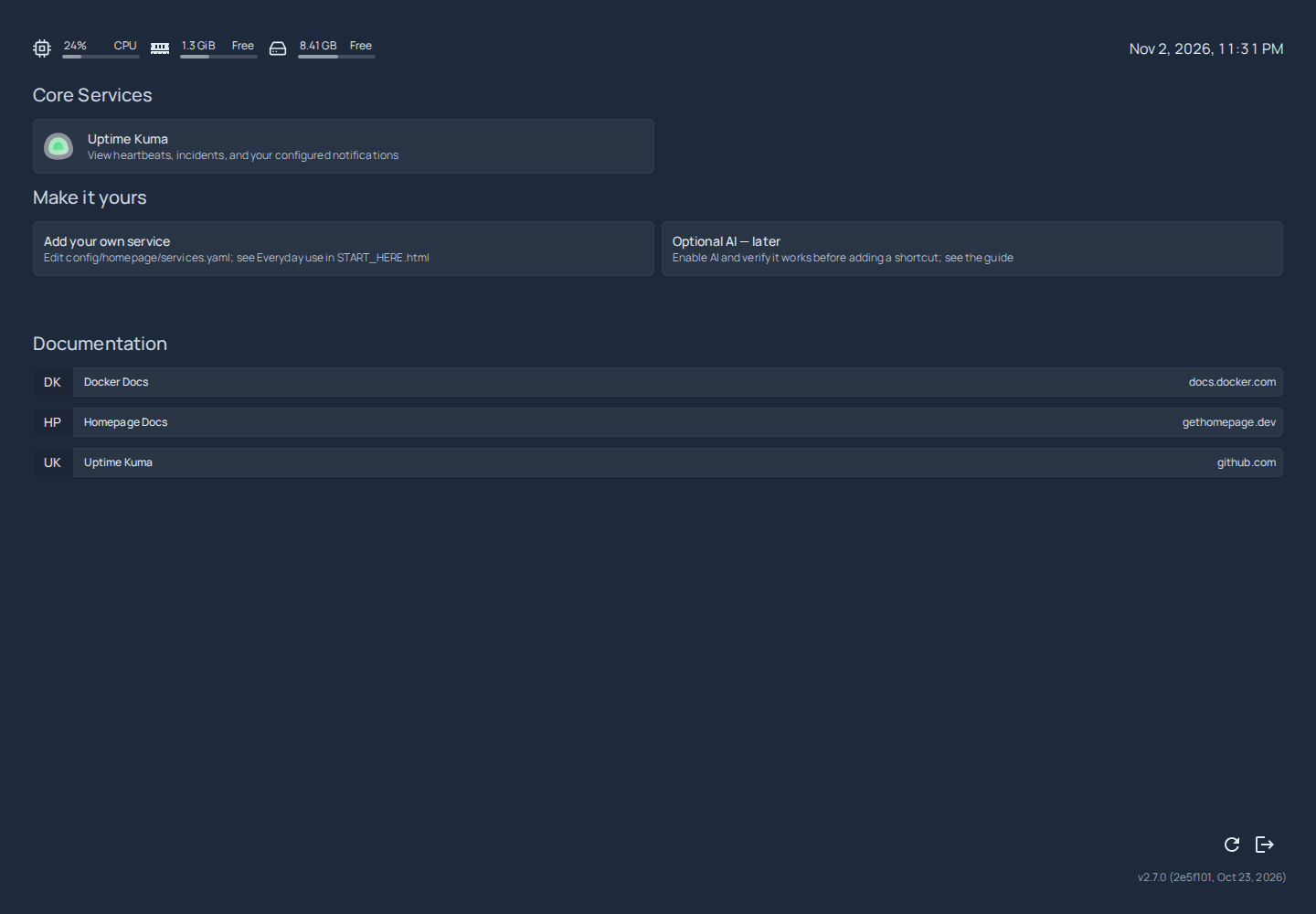
Follow the offline guide and run the included setup scripts. Commands are clearly labelled for your laptop or Ubuntu server.
Create your first Uptime Kuma monitor, connect your email provider and practice a service-down alert.
Make a manual backup, keep a copy off the server and follow the restore walkthrough on a separate test host.
One kit to work through at your own pace. Keep the guide beside you while you set up, test and maintain your server.
The applications are open source and keep their own licenses. The purchase covers this kit’s original automation, configuration and instructions. Hardware, Ubuntu, Docker, email accounts and cloud storage are not included.
Real captures from the guide and v1.0.1 testing. Open any screenshot to take a closer look.
View screenshotRead the guide without an internet connection. Commands are labelled for your laptop, Ubuntu server or recovery host. First setup still needs internet.
 View screenshot
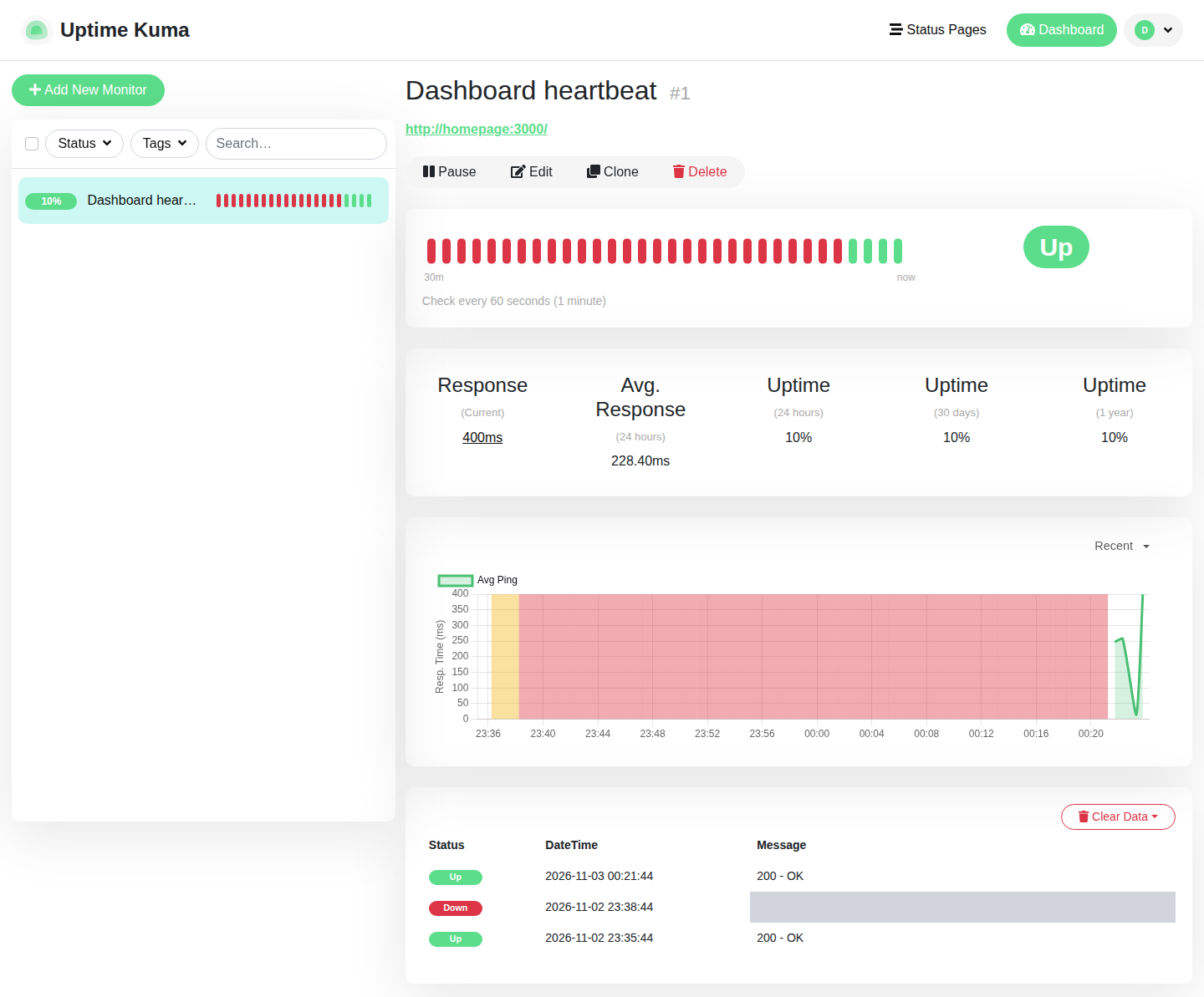
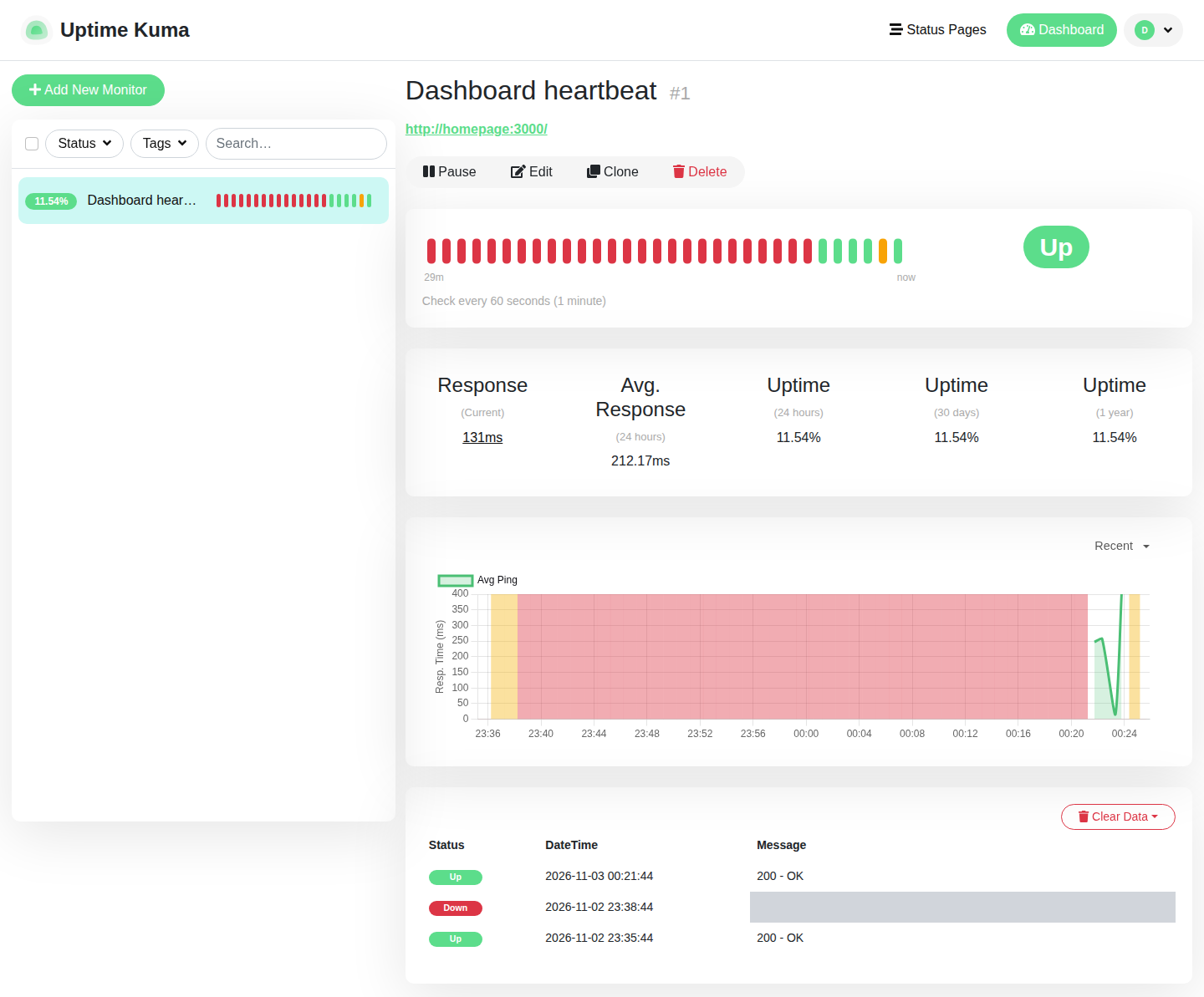
Uptime Kuma recorded a deliberate dashboard outage and its return to Up in an Ubuntu test VM. The red bars show that test outage.
 View screenshot
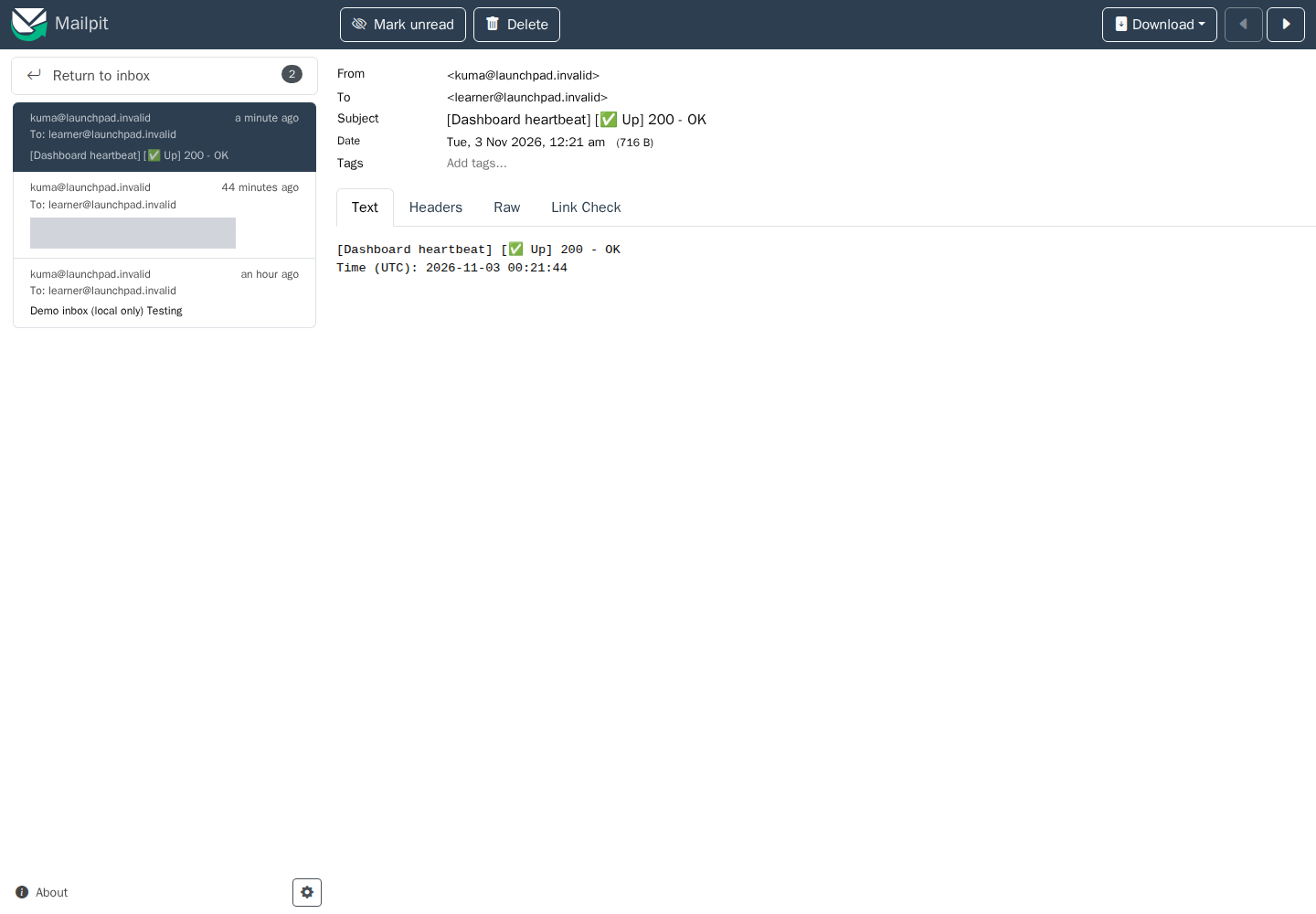
A recovery email received in a local Mailpit test inbox. External email-provider delivery needs your own test; Mailpit is not part of the kit.
 View screenshot
The account, monitor and history were restored on a second VM on the same physical server. A separate physical-PC restore was not tested.
Start with the basics. Test each part before you depend on it.
Install a supported Ubuntu version and Docker, then check the requirements below. A disposable VM is a good place to practice.
Extract the download, run the setup script and connect to your private dashboard. The guide explains where to run each command.
Create a monitor, configure your email provider and send a test message. Then practice an application outage and recovery.
Make a manual backup, copy it off the server, verify the copy and restore on a separate disposable Docker host or VM.
If something goes wrong, use the included troubleshooting steps and diagnostics. The goal is a setup you understand and can recover—not just a dashboard that looks finished.
You do not need Docker experience, but you should be comfortable following terminal commands.
Install Ubuntu and Docker first. This kit runs on your own PC.
Read the free beginner’s home server checklist before you decide.
These are planning estimates, not guaranteed minimums. Keep extra space for backups.
Windows, WSL, ARM devices and GPU setup are outside this release’s scope. The FAQ lists the tools and accounts needed for the full walkthrough.
What’s included, what you’ll need, and where the kit’s limits are.
The v1.0.1 ZIP includes original setup and maintenance scripts, dashboard configuration, manual backup and recovery tools, an offline guide, troubleshooting instructions and a customer license.
The applications—Homepage, Uptime Kuma and the optional AI tools—are open source and keep their own licenses. You’re paying for the kit and instructions. Docker downloads the applications separately; hardware, hosting, email accounts and AI models are not bundled. This is an independent kit, with no upstream endorsement implied.
You’ll need internet for the first setup, terminal access, Python 3.10+, Bash, OpenSSL and standard GNU tools. If the PC has no keyboard or screen attached, you’ll also need SSH access and a laptop with SSH/SCP.
To practice email alerts, have your email provider’s SMTP settings and an inbox ready. For recovery practice, you need private storage on another device and a separate disposable Docker host or VM. Installing a second copy in another folder on the same Docker host does not create an isolated test.
No. You run the backup command, copy the complete snapshot to secure storage on another device, and verify it. The guide walks you through that routine and a practice restore. Scheduling, cloud storage and backup encryption are not included.
A monitor cannot send an alert while the computer running it is off. The core exercise monitors an application while Uptime Kuma is still running. To detect a whole-server outage, you need a monitor on another device.
No. Start with the dashboard, monitoring and backups. Optional Ollama and Open WebUI configuration is included for later CPU use. AI needs extra memory, storage and separate model downloads, and can be slow on older PCs. AI startup, chat and recovery were not verified for v1.0.1.
Core setup, dashboard access, monitoring and recovery were checked in disposable Ubuntu 24.04.5 and 26.04.1 x86_64 virtual machines. A local SMTP test inbox received test, DOWN and recovery UP messages. A backup was copied to a separate laptop and restored on a second VM on the same physical server.
External email-provider delivery, restoration to another physical PC and optional AI runtime were not verified for this release. Run your own alert and recovery exercises before relying on the setup.
Not by default. The kit’s web ports listen on the server itself, and the guide shows you how to connect through an SSH tunnel. Public hosting, domain names and HTTPS proxy administration are separate advanced work.
The guide includes troubleshooting steps. For an issue with the supplied files or instructions, use Contact seller or Order help from your purchase receipt or order page. Share the kit version and a redacted error—never passwords, backups, databases or private chats.
Remote installation, ongoing server administration, guaranteed response times and lifetime updates are not included. Purchase and refund terms are those shown at checkout.
Checkout is not open yet. When it is ready, you’ll be able to buy the kit for $19 USD through Lemon Squeezy’s hosted checkout. Your purchase will give you access to the digital download through Lemon Squeezy. Any applicable tax will be shown before you pay.
This page has no analytics, advertising scripts or signup form. Your browser connects to our hosting server to load it. Lemon Squeezy handles checkout and its own privacy terms apply there.
Ubuntu starter kit · v1.0.1
One-time download
Checkout opens soon